Soundtralize
STUDIO MANAGEMENT, BUILT FOR MUSIC.

Your entire studio. All in one place.

Projects, clients, sessions, contracts, invoices and delivery in one workspace designed for music studios.

Free 60-day beta on Mac· limited spots · PC (Windows) version in development, coming soon.

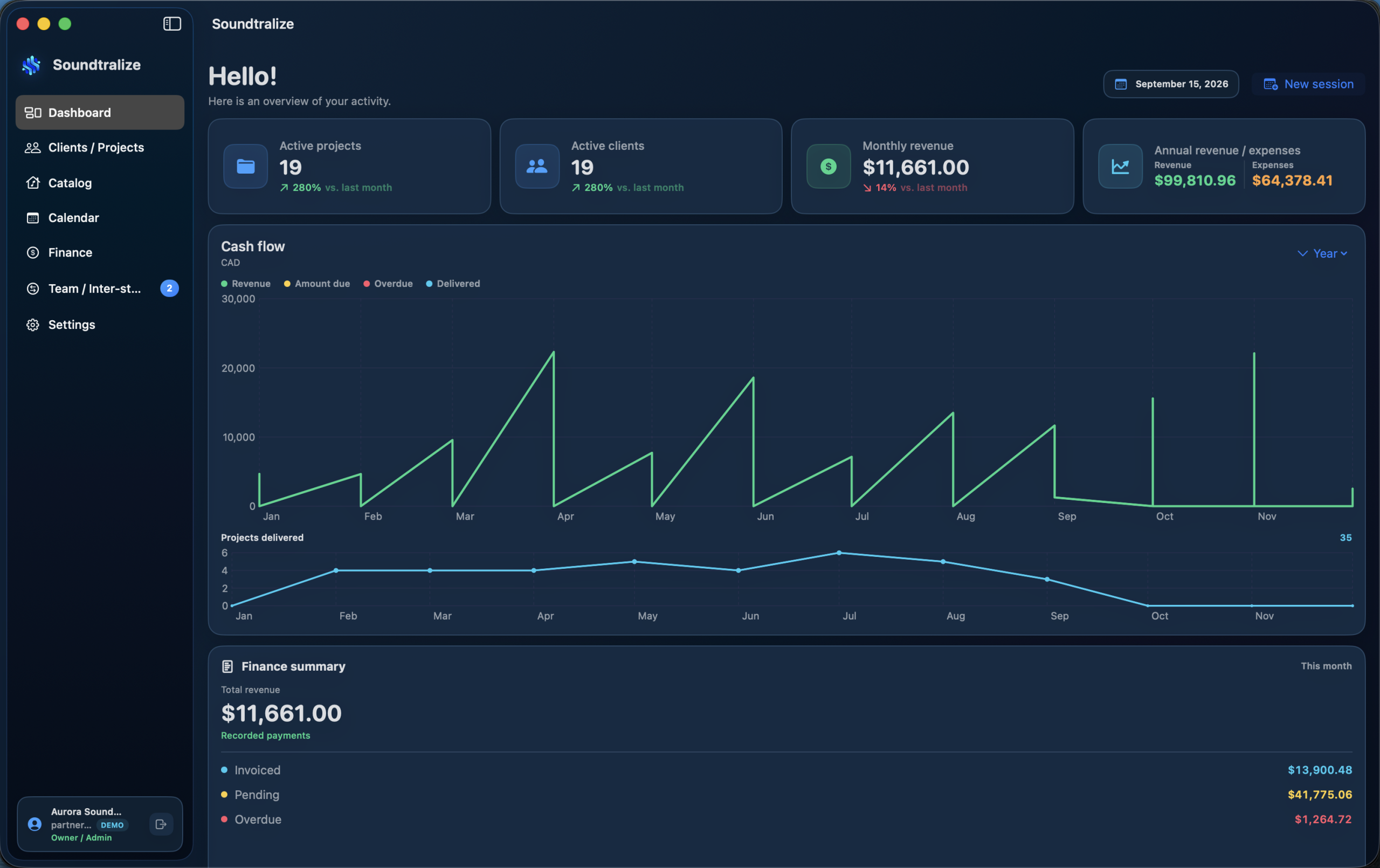
Soundtralize dashboard with projects, clients, revenue and cash flow

Built around the real studio workflow.

Not just a CRM. Not just invoicing. Soundtralize follows the project from session to client delivery.

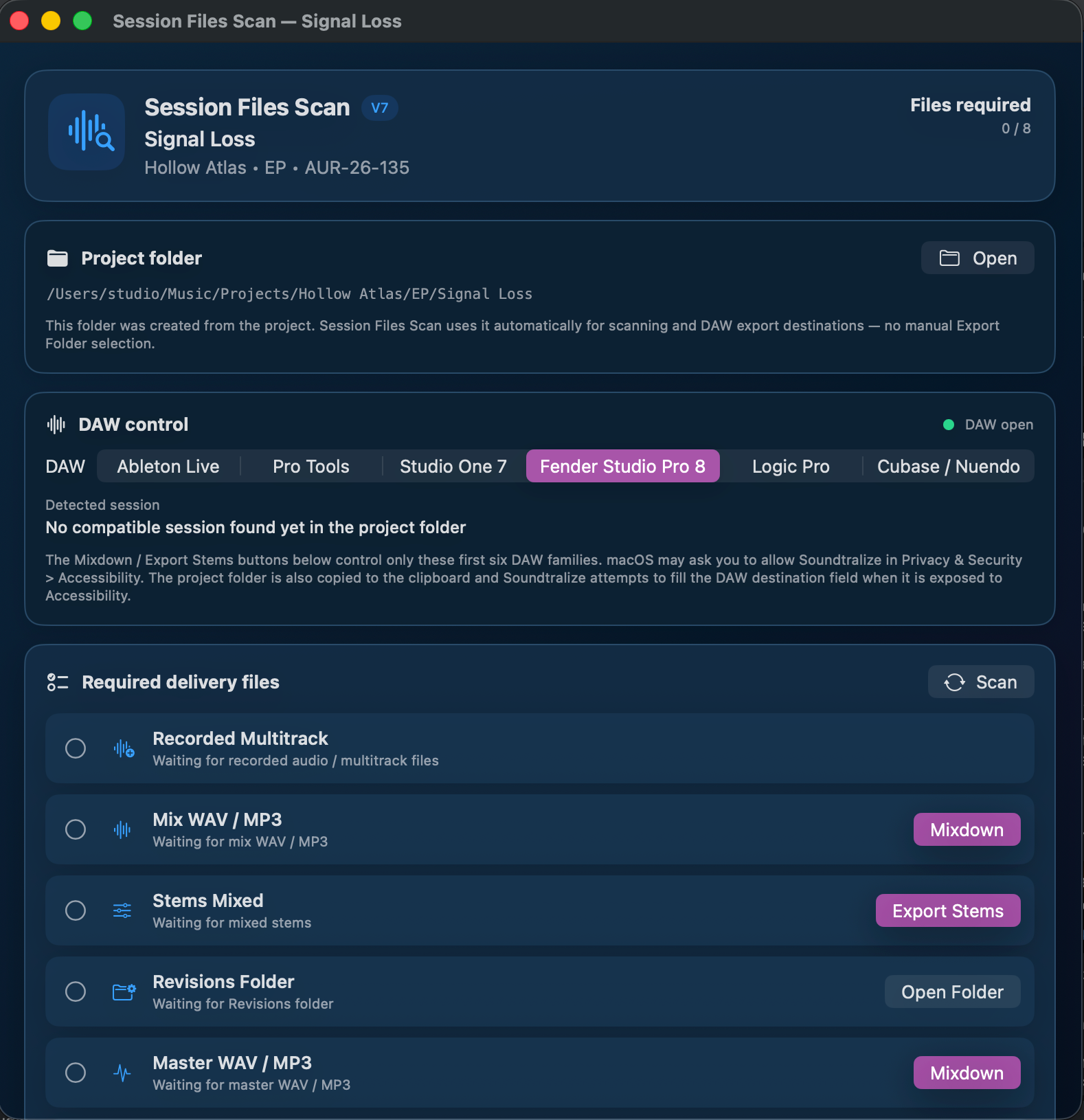
DAW-aware Session Files Scan

Keep expected deliverables and exports connected to the DAW workflow.

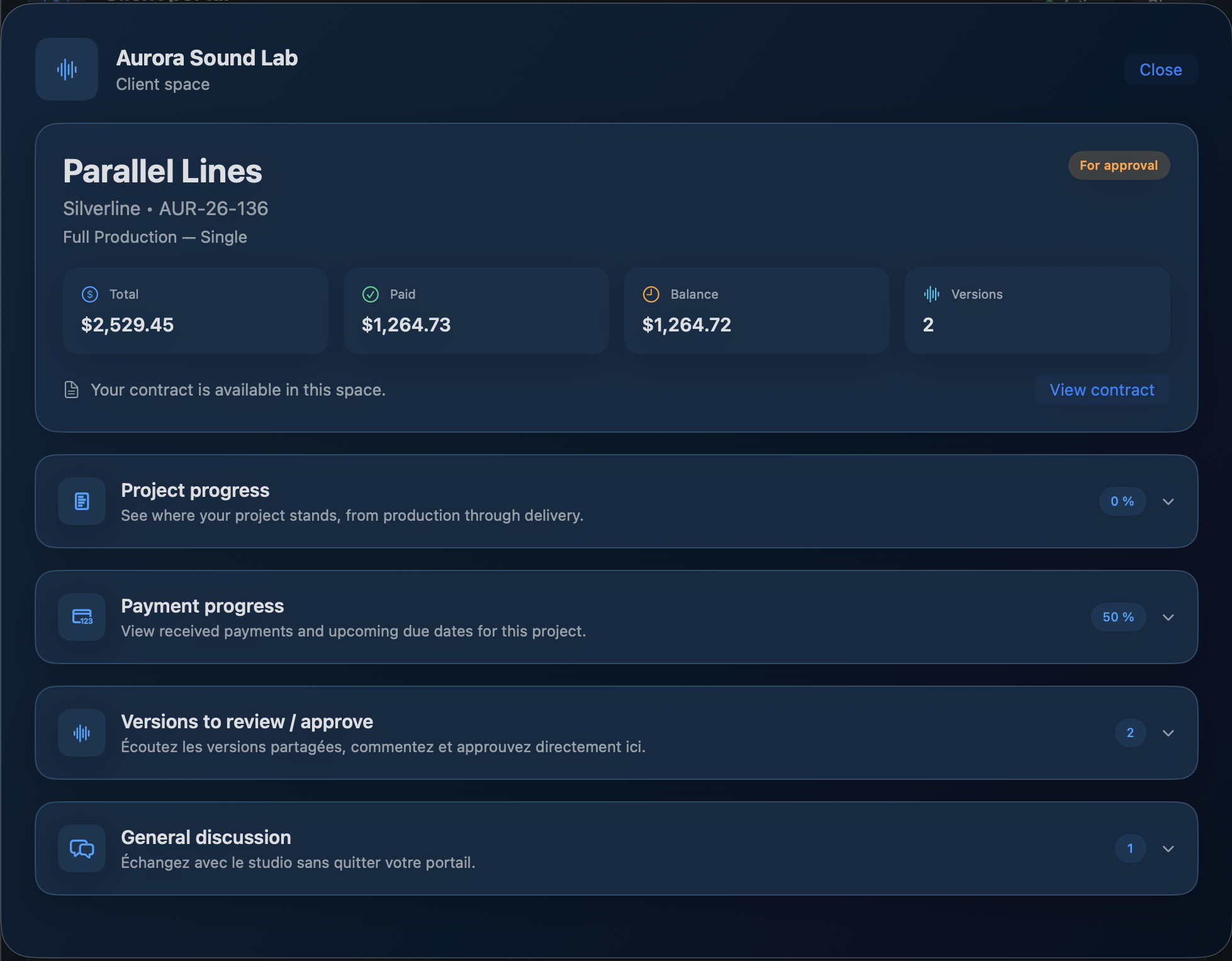
Soundtralize client portal with project status, payment progress, versions and discussion

Client Portal

Share mixes in a portal branded for your studio. Clients can listen on computer or phone, leave timecoded comments, approve or request changes, and follow a final-delivery link without a password.

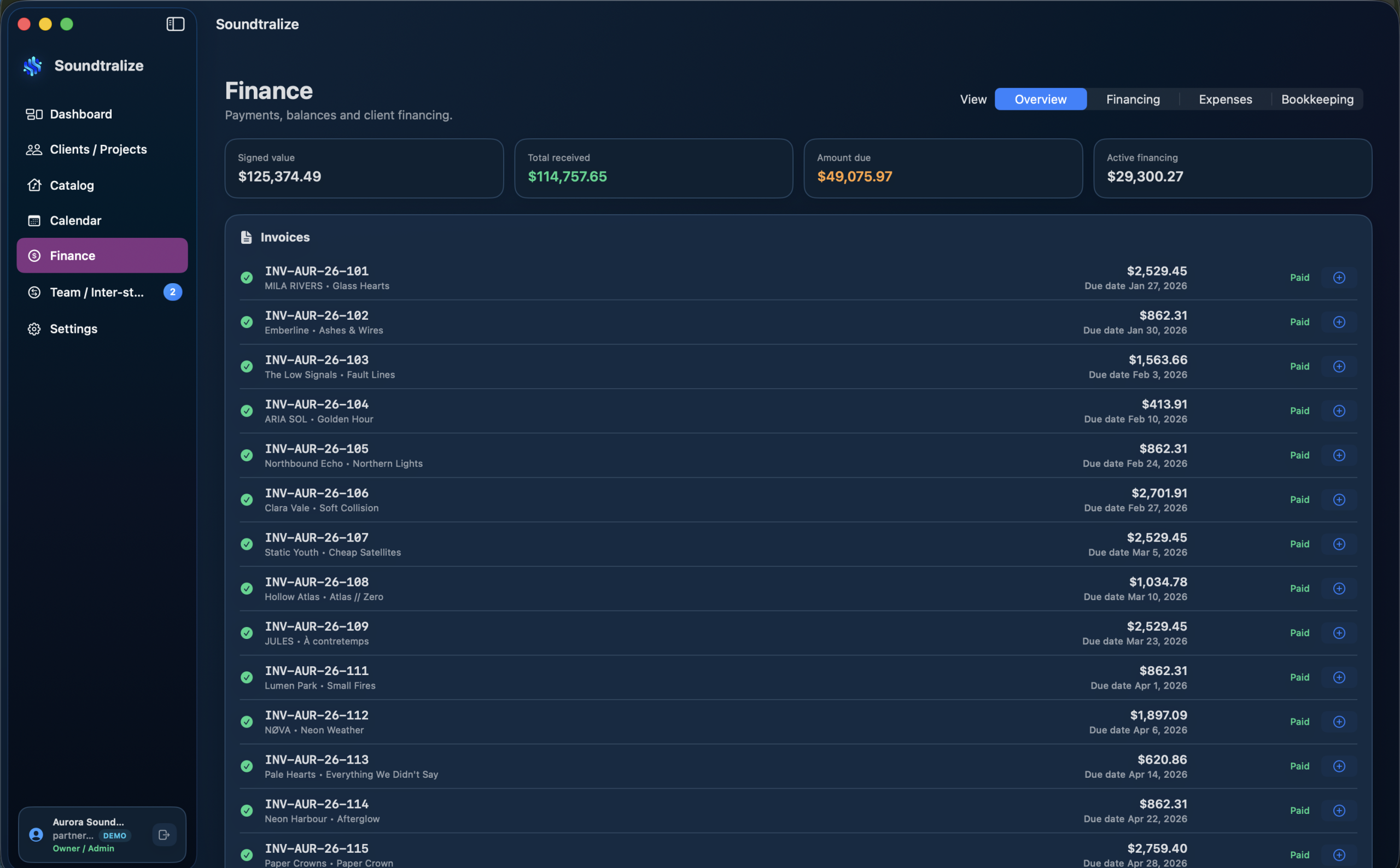
Soundtralize finance view with project invoices and balances

Contracts & Finance

Keep contracts, deposits, financing, payments and expenses attached to the project.

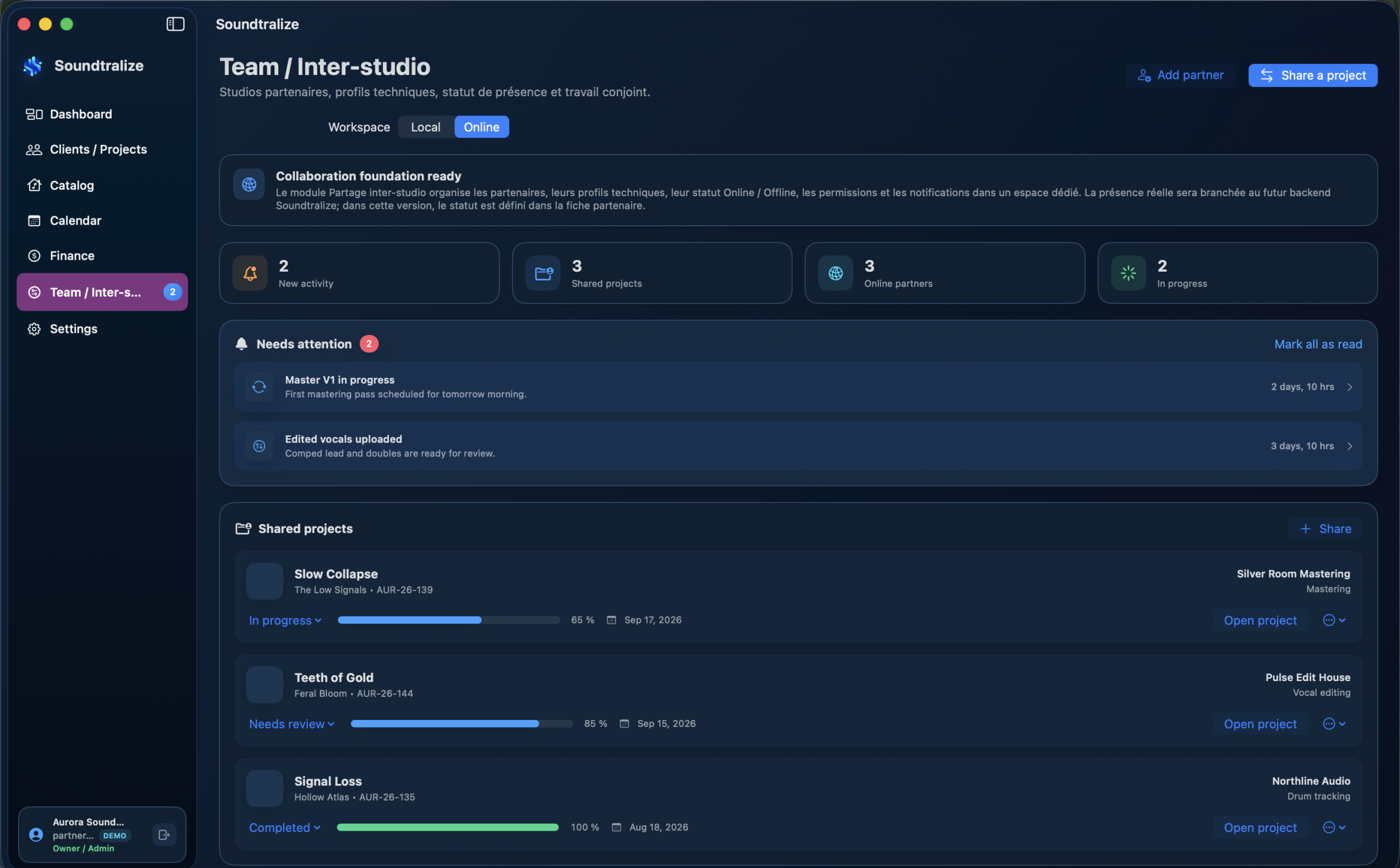
Soundtralize online inter-studio collaboration with shared projects

From solo producer to full studio team.

See a partner studio’s presence, DAW and skills, share selected projects, follow progress and exchange messages and file links. Each studio keeps ownership.

ONE CONNECTED WORKFLOW

Everything your studio needs, without stitching tools together.

Soundtralize keeps the creative, client and business sides of a studio connected to the same project.

Projects & clients

Keep services, contacts, milestones, technicians and project context together from day one.

Contracts & payments

Contracts, deposits, payment schedules and balances stay attached to the project they belong to.

Sessions & DAW

Session Files Scan connects expected deliverables, project folders and supported DAW export actions.

Client Portal

Invite clients to review listening versions, comment by timecode and approve work. Show contract, balance or final-delivery links only when the studio chooses.

Team & inter-studio

Manage local roles and share selected projects, messages and file links with partner studios. Inter-Studio does not automatically share contracts, finances or client details.

Finance & reporting

Track revenue, balances, expenses and tax information with project-level context ready for accounting.

One project. One continuous workflow.

Instead of moving between disconnected apps, Soundtralize follows the project through every stage.

01 · Create

Set up the client, service, project and contract.

02 · Produce

Work through sessions while project files and deliverables stay organized.

03 · Review

Share a listening version and gather timecoded comments and approval in one place.

04 · Deliver

Verify deliverables, send final files and keep the completed project documented.

Simple plans for studios at different stages.

Start as an independent producer, then expand when your team and client workflow grow.

Individual

For producers, engineers and independent studio owners who want the complete workflow in one workspace.

Includes: project management, client workflow, contracts and finance tools. Client Portal and Inter-Studio collaboration included.

Free during the beta. Then CA$12.99/month or CA$129.99/year.

Pro

For growing studios that need multiple users, role-based access and a workflow shared across the team.

Built to scale: add activations as the studio grows.

Free during the beta. Then CA$29.99/month or CA$299.99/year.

Education

For music schools and training programs.

Education tools are in planning. Tell us what your program needs, and we’ll share availability when it is confirmed.

Your studio, on Mac and PC.

Soundtralize is being developed for Mac and Windows PCs. The macOS beta comes first; the Windows version is planned. Soundtralize for Mac is available now.

Google services, only when you choose to connect them

When Google access is enabled for your beta account, connect Gmail to send a contract or invoice PDF to a client from your studio’s account at your request. Soundtralize does not read your inbox. Connect Google Drive to store project files in a “Soundtralize” folder; the app can access only files it creates or uploads itself.

Client Portal listening files are separate from Google Drive.

Spend less time managing. Spend more time creating.

Explore every tool on our features page. Soundtralize for Mac is available now.

Soundtralize

© 2026 Soundtralize